
Psiphon VPN: Freedom Online
Psiphon Inc.Communication
4.632.78K Reviews
- Version
- 474
- Installs
- 100.00M
- Age Rating
- Everyone
Screenshots
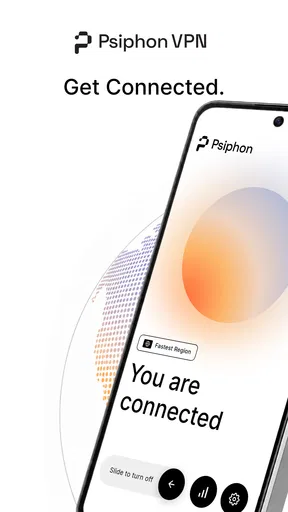

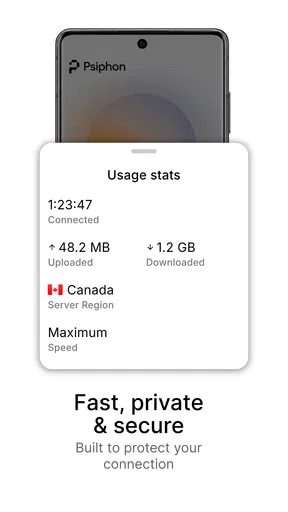
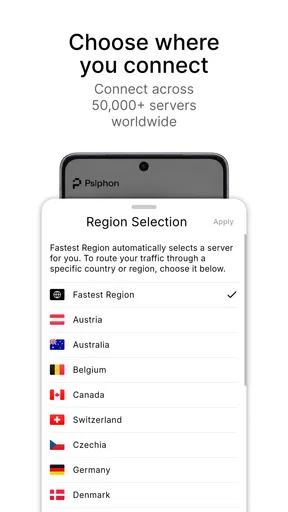
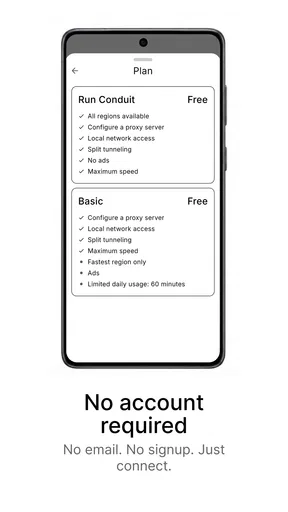
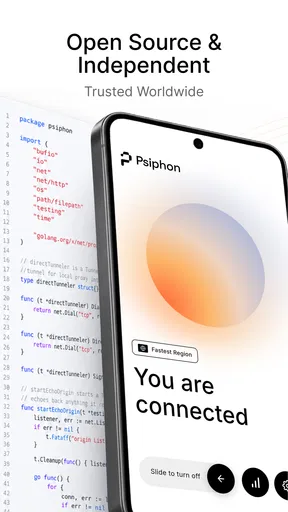
Our Review of Psiphon VPN: Freedom Online
 Analysis by Appyee
I see Psiphon VPN: Freedom Online as a practical access tool first and a conventional privacy VPN second. That distinction matters: I’d reach for it when a network blocks pages I need to read, not assume that connecting makes every online activity private or dependable. Its simple start-up is appealing, but the best results come from knowing what problem it is meant to solve—and where another kind of VPN may suit you better.
A straightforward way through access barriers
Psiphon is a free communication app from Psiphon Inc. It has been available since Nov 2, 2015, and its current version is 460, with Android support starting at 5.0. The app is rated for Everyone. Its broad adoption is reflected in more than 100 million installs, alongside an average rating of 4.5 from around 989,000 ratings. Those figures suggest that many people find it useful, though they don’t guarantee the same performance on every device or network.
The first-time experience is deliberately uncomplicated: open the app, connect, then try the site or service that was giving you trouble. I like that this doesn’t ask a new user to understand server terminology before doing anything useful. If you’re helping a relative or colleague get past a basic connection barrier, that short path from launch to a working test is a real advantage.
There is one important expectation to set. A VPN-style connection can change how your traffic reaches the wider internet, but it cannot make every blocked service work, guarantee a particular location, or fix an unrelated account restriction. I’d treat Psiphon as a way to try another route—not a promise that every page, video, or app will behave exactly as it does on an unrestricted connection.
Unchaining the Internet
So, what’s the deal with Psiphon VPN? At its core, this app is all about bypassing internet censorship and providing you with access to an unrestricted web. Whether you’re trying to sneak past a firewall at work or access content that’s geo-blocked, Psiphon acts like your personal digital passport, opening up borders you didn’t even know existed.
The first thing I noticed when I fired up the app was its simplicity. You don’t need to be a tech wizard to get started. Just tap that connect button and boom, you’re in. The interface is intuitive, clean, and doesn’t bombard you with unnecessary tech jargon.
Features That Stand Out
Now, let’s talk features. Psiphon isn’t just about getting you online; it’s about ensuring your browsing experience is smooth and secure. Here are a few highlights:
- Global Servers: You can choose from a wide range of server locations. Whether you want to browse from the UK, the US, or a far-off land, Psiphon’s got you covered.
- Speed and Performance: Nobody likes a sluggish connection. Psiphon focuses on speed to keep your internet experience quick and seamless.
- Privacy and Security: With its strong encryption protocols, you can browse with peace of mind, knowing your data is kept safe from prying eyes.
- Open Source: Transparency is key, and Psiphon’s open-source nature means you can peek under the hood if you’re into that kind of thing.
What to try when a page won’t load
For a useful real-world test, I’d start with one ordinary page that is blocked on the network you’re using, rather than immediately opening several apps and judging the connection by feel. Connect, load that page, and then try a second site you know normally works. This makes it easier to tell whether the obstacle is access-related or whether the connection itself is having a slow moment.
If the first attempt stalls, I wouldn’t keep tapping connect without a plan. Give the connection a moment, then retry the specific page; if it still fails, test again later or use another network if one is available. This is a practical way to avoid mistaking a temporary network problem for a broken phone or an account issue. It also helps set realistic expectations: circumvention tools can be affected by the network conditions they are trying to work around.
For reading text, checking a news page, or opening a reference site, a little delay may be an acceptable trade-off. For a live call, competitive online play, or a video that needs steady throughput, even brief changes in connection quality can be more disruptive. I’d choose the task before connecting and decide whether the benefit of reaching the content is worth a less predictable route.
Why It’s Worth Your Time
Okay, so we’ve covered the basics, but why should you care? For starters, Psiphon is a lifesaver for folks in countries with strict internet censorship. It’s like having a magic key that unlocks a world of information and entertainment. Plus, if you’re traveling and want to keep up with your favorite shows or news from home, this app can be a real game-changer.
I also appreciated how Psiphon doesn’t require you to sign up to get started. No need to hand over your email or personal details; just download, connect, and you’re ready to surf the web freely.
A realistic everyday use
Picture arriving at a hotel or another public network and finding that a news site you rely on will not open. My sensible workflow would be to connect Psiphon, check that the page loads, read what I need, and disconnect when I’m finished if I no longer need the alternate route. That keeps the tool tied to a clear task instead of leaving it running out of habit.
For someone who travels, the same approach can help with routine browsing when a familiar source is inaccessible. I would still avoid treating access to a streaming catalogue as guaranteed: location-based services can apply their own rules, and a VPN connection does not compel a service to show a particular library. If the main reason you want a VPN is reliable access to a specific streaming region, a paid service built around that use may be a better fit.
Another useful distinction is between getting through a block and protecting a sensitive account. Psiphon can help route a connection around restrictions, but I would still use strong, unique passwords, keep device software current, and be careful about entering payment or identity details on unfamiliar pages. A VPN is not a substitute for those habits, and the word “VPN” alone should never be read as a guarantee of complete anonymity.
How it compares with other VPN choices
Compared with a typical paid VPN, Psiphon’s main appeal is its accessible, low-friction approach to restricted access. A paid provider may be preferable if you want a polished set of privacy controls, consistent performance for demanding tasks, or a subscription designed around regular everyday use. I would not choose Psiphon solely because I expect it to behave like every commercial VPN; its strongest reason to be on a phone is the access problem it is intended to help with.
Compared with simply switching to mobile data or another Wi-Fi network, Psiphon offers a route to try when changing networks is inconvenient or impossible. But if a safe, unrestricted connection is readily available, that simpler option may be faster and easier. The best choice depends on what is blocked, how sensitive the activity is, and whether reliability matters more than getting a basic page to load.
Its free entry point is useful for occasional needs, while in-app purchases range from $0.99 to $69.99 per item. I’d check the purchase details in the app before spending, and only pay if the available option addresses a limitation I have actually encountered. Someone who uses it once in a while may have no reason to buy anything; someone relying on a VPN daily should compare the costs and capabilities with other services before committing.
A Few Things to Consider
While Psiphon VPN is pretty great, it's not without its quirks. The free version comes with some ads, which can be a bit annoying if you’re not a fan of interruptions. However, there is a premium option that offers an ad-free experience along with faster speeds, which might be worth considering if you find yourself using the app regularly.
Also, while the app is generally quite fast, your mileage may vary depending on the server you choose and your current location. It’s not a deal-breaker, but something to keep in mind if speed is your top priority.
Who I’d recommend it to—and who should look elsewhere
I’d recommend Psiphon to people who need a simple way to attempt access to blocked information, especially if they don’t want to configure a complicated connection before trying. It can also make sense as a backup for travel, when a site that normally works is unavailable on the network at hand. The no-sign-up start is convenient for occasional use, and the free option lets people decide whether the app suits their needs before considering a purchase.
I’d be more cautious if you need a consistently fast connection for video calls, large downloads, or other latency-sensitive activities. I’d also steer someone toward a dedicated privacy-focused provider if their main priority is a clearly defined privacy product rather than reaching restricted content. And if using a circumvention tool could create risk in your circumstances, think carefully about that before connecting; ease of use does not remove the need to judge your own situation.
Psiphon has a 4.5 average across around 989,000 ratings, and its reach is substantial, but neither popularity nor a favorable score can tell you how it will perform on your particular network. I’d judge it by a small, low-stakes test first: connect, open the page you need, and see whether the result is good enough for that task. That’s a more useful decision than expecting one app to be the answer to every connection or privacy concern.
The Bottom Line
All in all, Psiphon VPN: Freedom Online is a solid choice for anyone looking to break free from digital chains. It’s user-friendly, effective, and doesn’t demand your first-born child to get you started. Whether you’re a seasoned netizen or just someone struggling with internet restrictions, this app is worth checking out.
So, if you’re ready to take control of your online experience, give Psiphon a whirl. You might just find that it’s the key to a whole new world of internet freedom.
Verdict
Strengths of Psiphon VPN: Freedom Online
- Bypass internet censorship easily.
- User-friendly interface, easy to navigate.
- No registration required to use.
- Supports multiple protocols.
- Compatible with Android and iOS.
Limitations of Psiphon VPN: Freedom Online
- Ad-supported free version can be intrusive.
- May slow down internet speed.
- Limited server locations compared to competitors.
- No option for specific server selection.
- Free version lacks advanced features.
Other Releases by Psiphon Inc.
View All
Conduit
Communication4.5
Similar Picks in This Category
View All
Google Messages
Google LLC4.6

Gmail
Google LLC4.1

Google Meet
Google LLC4.4

Google Chrome
Google LLC4.1

WhatsApp Messenger
WhatsApp LLC4.6

Carrier Services
Google LLC4.2
Frequently Asked Questions
What is Psiphon VPN and how does it work?
Psiphon VPN is a tool designed to provide unrestricted access to the internet. It uses a combination of secure communication and obfuscation technologies to bypass censorship and firewalls. By connecting to its global network of servers, Psiphon VPN masks your IP address and encrypts your data, ensuring privacy and freedom online.
Is Psiphon VPN free to use?
Yes, Psiphon VPN offers a free version with limited bandwidth and server options. However, for enhanced speed, stability, and access to premium servers, users can subscribe to Psiphon Pro. The Pro version provides a more robust experience, suitable for users requiring consistent and high-speed connections.
How secure is Psiphon VPN?
Psiphon VPN employs strong encryption protocols to secure your internet connection. While it effectively hides your online activities from local surveillance and censorship, it's important to note that Psiphon is primarily a circumvention tool and may not be as secure as dedicated privacy-focused VPNs for protecting sensitive data.
Can Psiphon VPN be used on all devices?
Psiphon VPN is available for Android and iOS devices, as well as Windows PCs. The app is designed to be user-friendly and requires no technical expertise to set up. However, it is not available for macOS or Linux, and users of these platforms will need to seek alternative VPN solutions.
Does Psiphon VPN affect internet speed?
Using Psiphon VPN may cause a slight reduction in internet speed due to encryption overhead and server routing. However, the impact is often negligible for general browsing and streaming. For optimal performance, users can upgrade to Psiphon Pro, which offers faster and more stable connections.
